How does Knipje work?
Your customer scans a QR code and has your stamp card in Apple Wallet or Google Wallet. You stamp with your own phone. Below is every step, with the screens as they are in the app.
How does your customer get the card?
No app and no account. This is how it goes at the counter.
Camera on the QR code
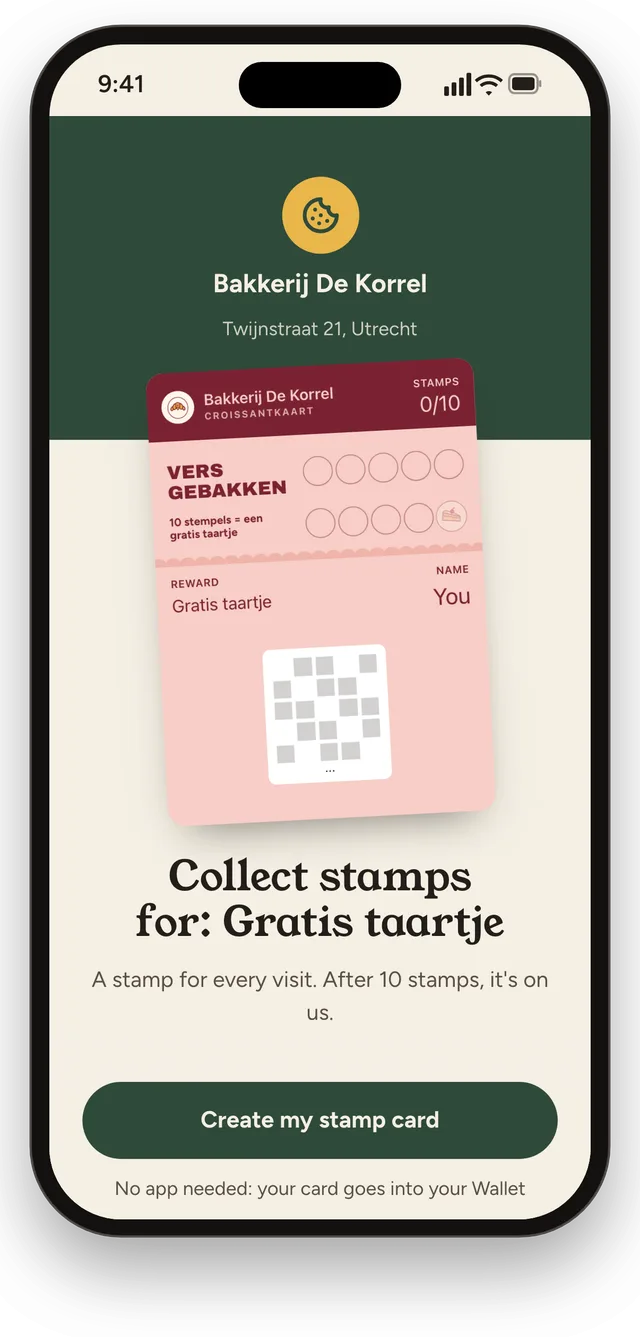
Your customer scans the QR code at your till. A page opens with your card and the reward.
One tap into the Wallet
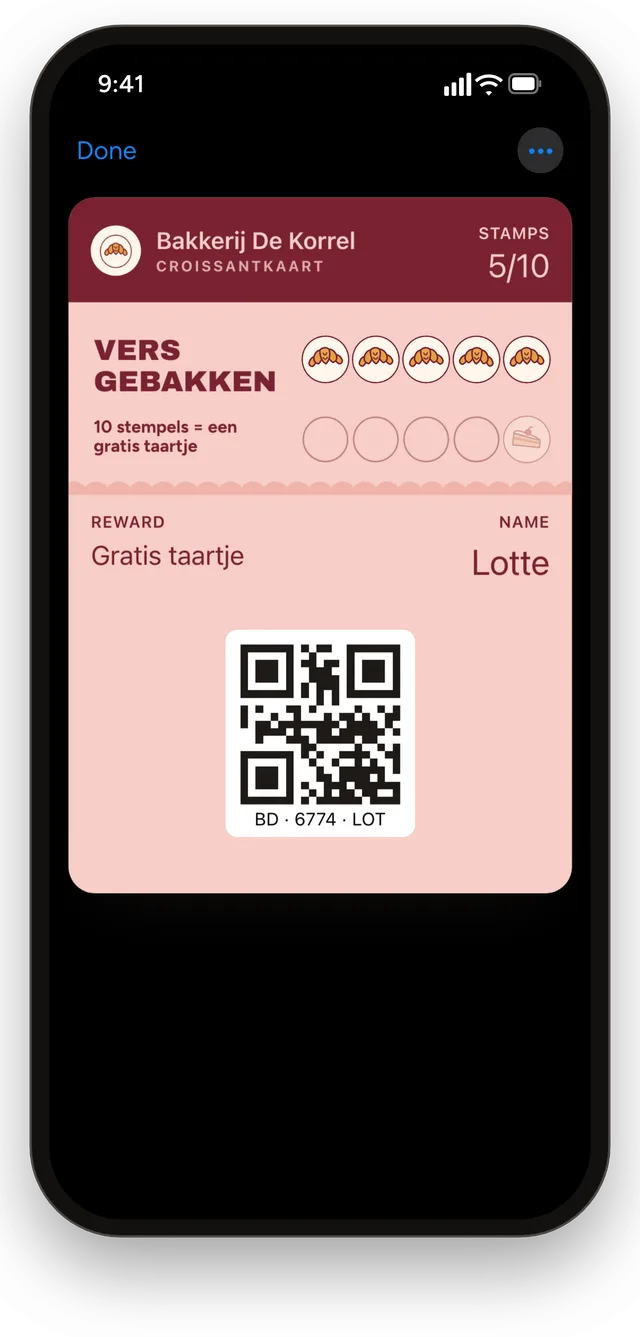
With “Create my stamp card” the card goes into Apple Wallet or Google Wallet, which are already on the phone. No Wallet? Then your customer keeps the card as a web page.
Just a first name
That's all your customer fills in. Birthday and e-mail are optional.
Never gets lost
The card lives on the phone and can be restored. No more cards in the washing machine.
How do you give a stamp?
With the Knipje app on your own phone or tablet: iPhone, Android or in the browser.
Scan the card
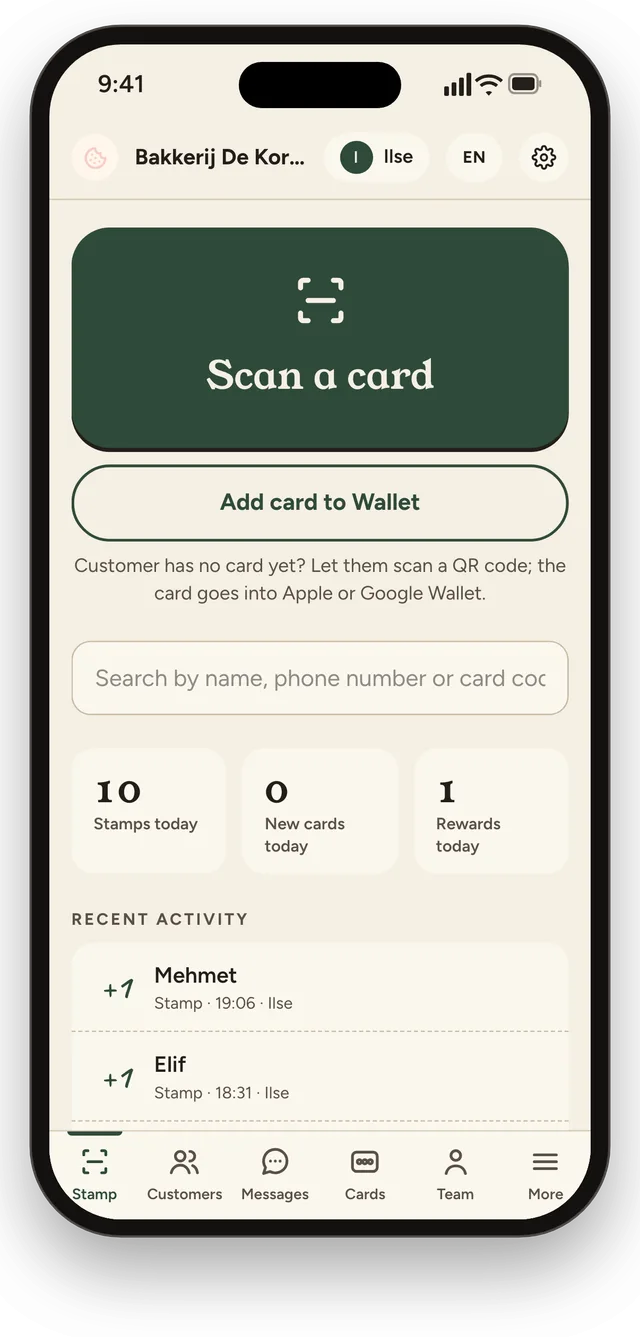
Tap “Scan a card” and hold the camera to the QR code on your customer's card. Phone left at home? Look your customer up by name, phone number or card code.
One or more stamps
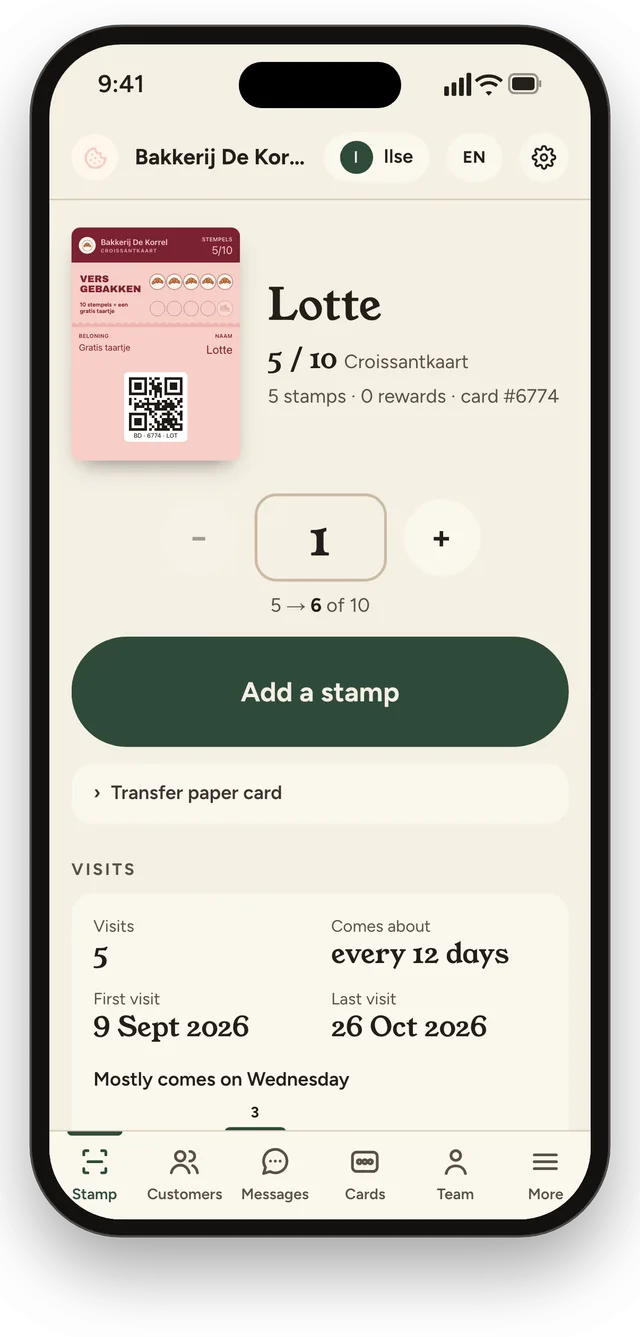
Give one stamp, or several at once when your customer pays for two. Stamped one too many? You undo it within 10 minutes.
Card full, reward ready
With the last stamp the reward is ready. Hand it over and a new card starts by itself.
Transfer a paper card
Scan the new card, tap “Transfer paper card” and enter the number of stamps. Nobody loses the stamps they saved.
Your staff stamp too
Every staff member stamps with their own PIN, and you see who gave which stamp. Basis: 3 staff, Pro: unlimited.
What does your card look like?
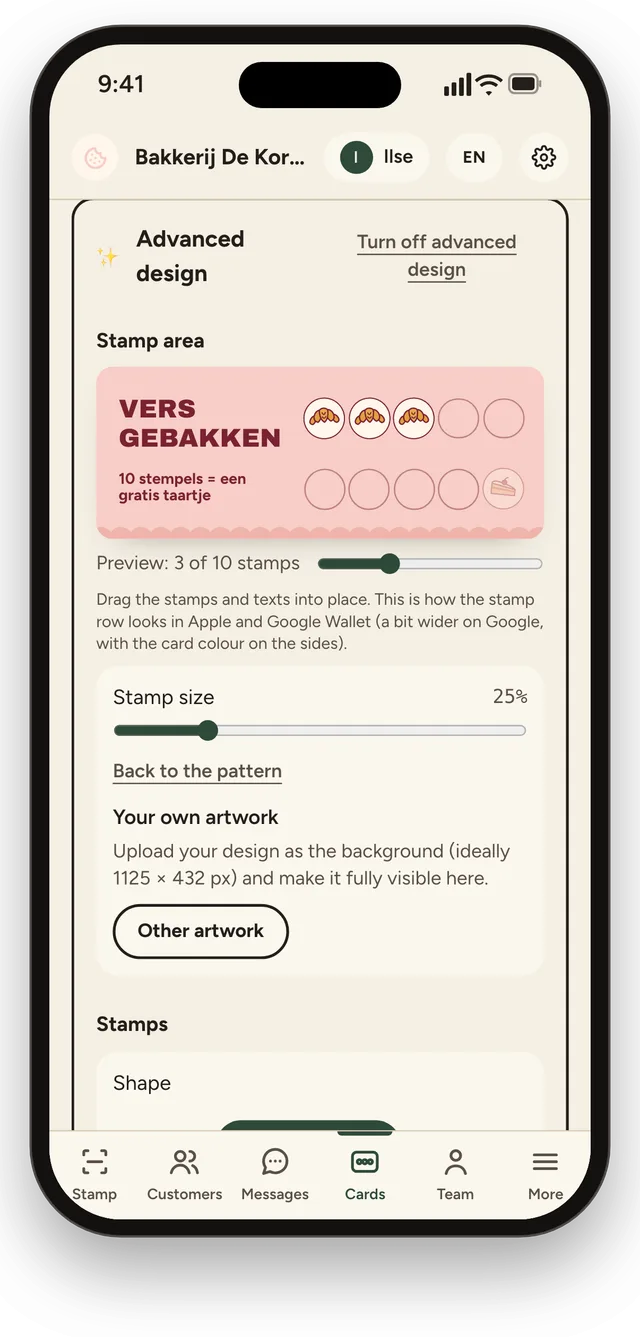
You choose the reward and the colours, and from Basis the whole look.
Your reward
Choose how many stamps go on the card and what your customer gets: a free haircut, a coffee, a pastry.
Your own colours, even on Free
A neat card with your shop's name, your reward and the colours you pick.
Your own logo and stamps
From Basis you add your logo to the card, make your own stamp and, with the advanced design, put your own artwork in the background.
Or let us design it
Send your logo and a few photos of your shop. With Basis we make one card in your style, with Pro three.
How do you send your customers a message?
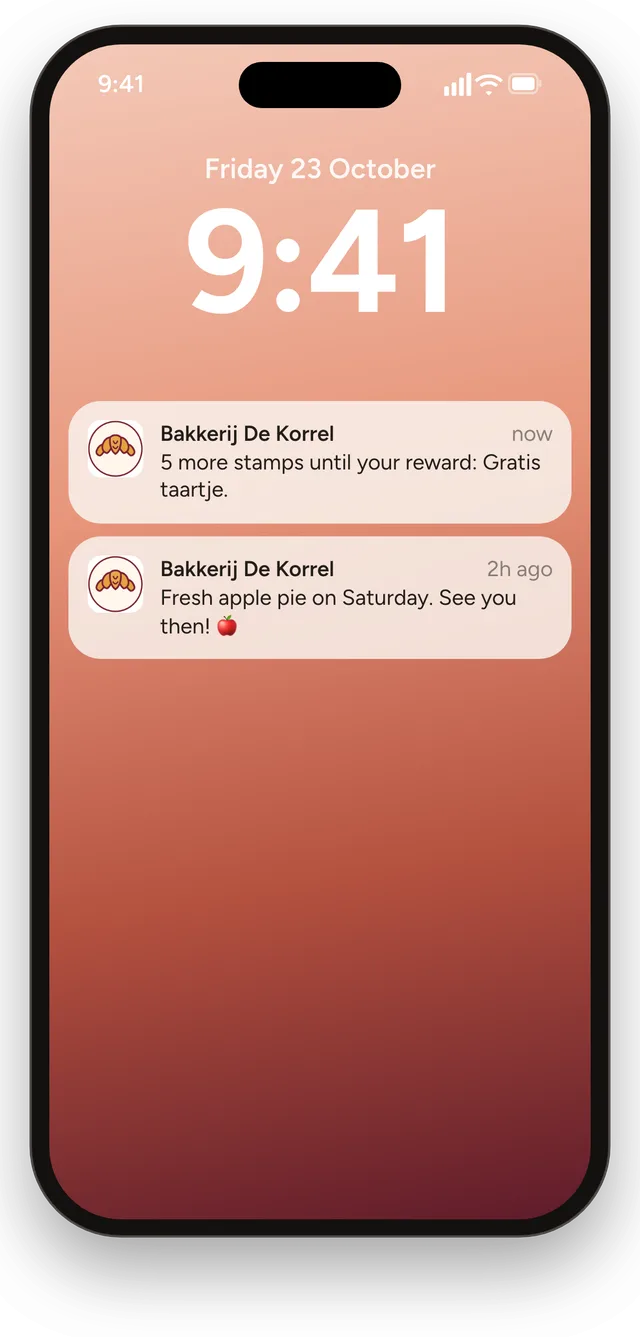
Through the Wallet card on the lock screen, plus e-mail.
After every stamp
Your customer sees the new count on the lock screen straight away: so many visits to go until the reward.
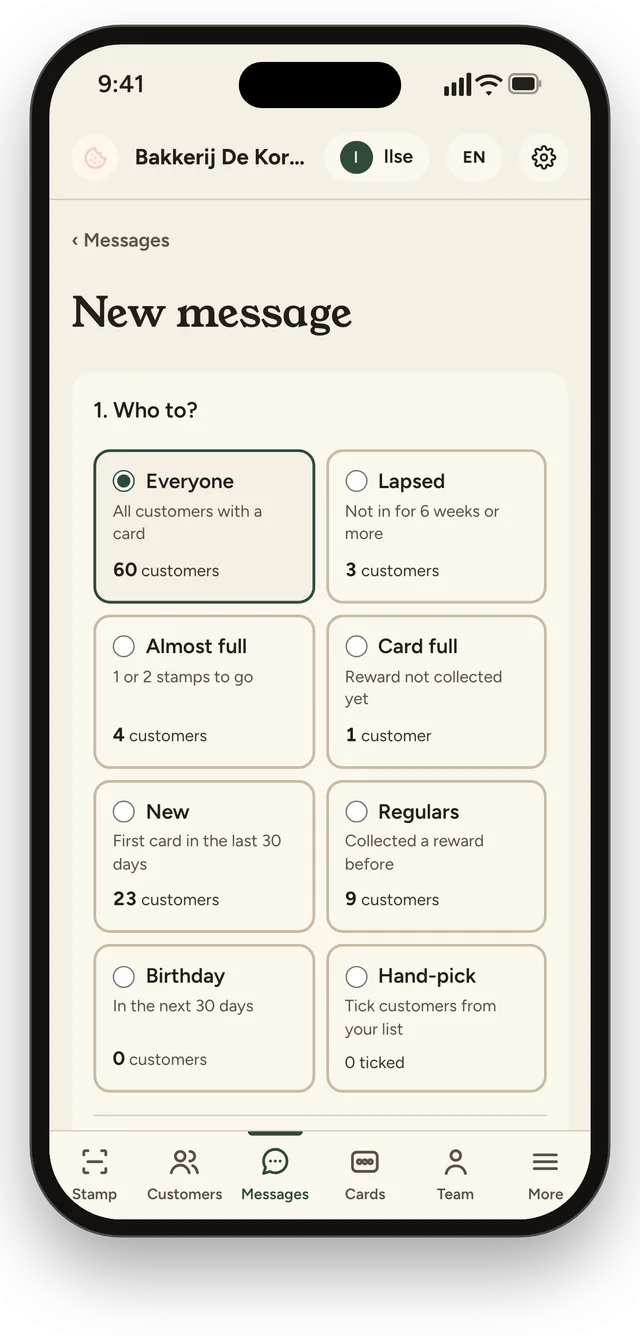
A message to a group
Choose who gets it: everyone, customers who haven't been in for weeks, nearly full cards, new or regular customers, birthdays, or customers you tick yourself.
Automatically on their birthday
From Basis a greeting with your own text goes out by itself on your customer's birthday, around 9:00. It doesn't count towards the limit.
Not too often
A customer gets at most 4 messages a month from your shop (Free: 1). That keeps your card welcome.
When they walk by
When a customer with an iPhone walks past your shop, your card can show up on the lock screen, with the count.
What do you see about your customers?
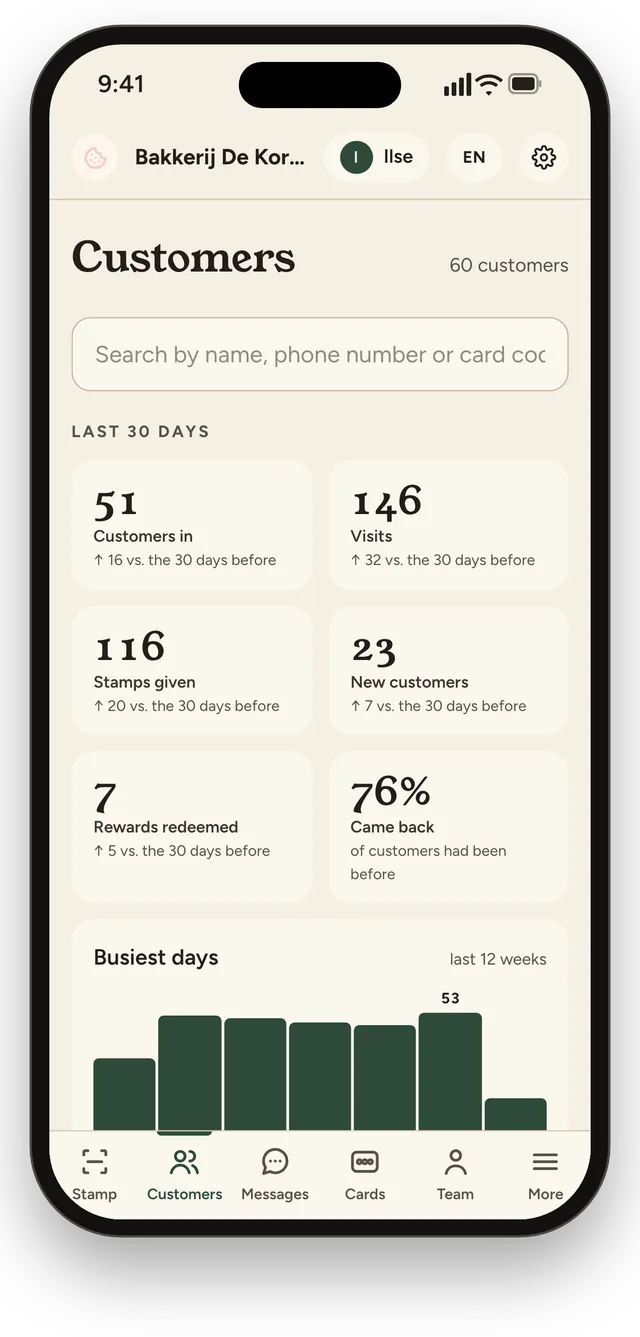
No spreadsheet needed: the app counts the visits for you.
Who comes back
Customers, visits, stamps and rewards of the last 30 days, next to the 30 days before.
When it's busy
The busiest days of the last 12 weeks.
Per customer
How often someone comes, every how many days on average, on which day most often, and when they were last in.
What else can it do?
Punch card
Your customer prepays for a number of visits or classes, optionally valid for 1 to 12 months. Every visit takes one off. You hand it out at the counter.
About the punch card →Temporary loyalty campaign
With Basis or Pro you add a card with a start and end date next to your regular card, for example around the holidays. Afterwards customers have 30 more days to collect their reward.
No till integration
Knipje works next to any POS system. All you need is a phone or tablet, and the QR code at your till.
Your customer data
Everything is stored in a database in the EU and only you and your team can see it. You stay the owner of the data; customers can delete their card and data themselves.
The app for your shop


Frequently asked questions
No. The card goes into Apple Wallet or Google Wallet, and your customer only fills in a first name. Birthday and e-mail are optional.
Then your customer keeps the card as a web page. Stamping works the same.
With the camera of your own phone or tablet in the Knipje app. Phone left at home? Look your customer up by name, phone number or card code.
Yes. Every staff member stamps with their own PIN, so you see who gave which stamp. Free has 1 PIN, Basis 3 staff and Pro unlimited. Messages and your subscription stay with you.
Then you undo that stamp in the app, within 10 minutes. Gave several at once? They go back in one go.
The new count shows on the card in their Wallet straight away, and as a notification on the lock screen: so many visits to go until the reward.
See what your card looks like.
Free up to 100 customers. Try Basis and Pro free for 30 days.